EU
EU
 USA
USA Canada
 UK
UK Australia
 New Zealand
 Japan
Japan Singapore
 UAE
UAE India
India South Korea
Blog-Post

Can I Connect Two Monitors to my M2 Mac?
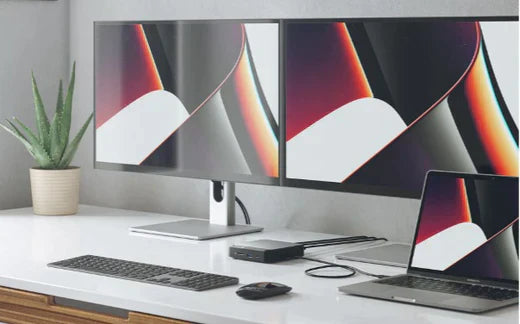
Apple’s M2 MacBook Air and 13-inch MacBook Pro are happening. But each has limited native external display capabilities. Apple’s new MacBook Air and 13-inch MacBook Pro are on the way. As Apple confirmed at its recent Worldwide Developers Conference, both are powered by the new M2 chip, which expands on the performance capabilities of the preceding M1 chip. The new MacBook Air gets the complete redesign treatment, and the new 13-inch MacBook Pro is an updated version. If you’re excited to get your hands on one of these new machines, the roll-out is imminent. But keep in mind that the M2 MacBook Air and the 13-inch MacBook Pro only have native capabilities to display one external screen. That might be perfectly fine if you thrive on a single-screen desk set up. However, those who depend on multiple external displays for maximum productivity will find it problematic. There is a simple solution, however. You can plug your M2 Mac into ALOGIC’s DisplayLink docking stations to run extra external displays. Connect Two or More Monitors to an M2 Mac with ALOGIC’s DX Docks In 2021, ALOGIC launched its DX range of docking stations. ALOGIC’s nine-port DX2 dock connects up to two displays at 4K (60Hz). It fast-charges your laptop with either 65W or 100W power delivery [there are two models]. It connects essential USB office accessories, such as phones, flash chargers, scanners, keyboards, and mice. It stabilises and secures your Internet via its Gigabit Ethernet port, and it supports quality recording and playback through its audio/microphone jack. The DX3 dock does too – plus more. The DX3 is the alternative for laptop users who require comprehensive connectivity at their workstation. With the marriage of the 11-port DX3 and an M2 Mac at your desk, you can connect up to three additional 4K monitors (at 60Hz), along with 100W power delivery for a speedy laptop charge. Connect Two or More Monitors to an M2 Mac with ALOGIC’s Twin HD Docks M2 Mac users can also extend their screen real estate with ALOGIC’s price-friendly Twin HD docks. The Universal Twin HD Docking Station connects up to two HDMI monitors at Full HD resolution [60Hz]. It features ports for four USB-A (USB 3.0) devices, one USB-C (USB 3.1 Gen 1), audio, and Gigabit Ethernet. The ALOGIC Universal Twin HD PRO Docking Station takes the Twin HD range to the next level. It has all the features of the Universal Twin HD dock, and 85W power delivery. Connectivity, Power, and Display Capabilities for M2 MacBook Users The MacBook Air and 13-inch MacBook Pro natively support one external display with up to 6K resolution at 60Hz. They out-perform their M1 predecessors in scenarios where workflows are complex, battery use is intensive, and tasks are memory-hungry. If you are inspired by the M2 MacBook Air and 13-inch M2 MacBook Pro, but cold on their display limitations, ALOGIC’s DisplayLink docks are a ready solution. Can you connect multiple external monitors to an M2 Mac? Yes. You can find ALOGIC’s DX docks here, and find ALOGIC’s Twin HD docks here.
Read more